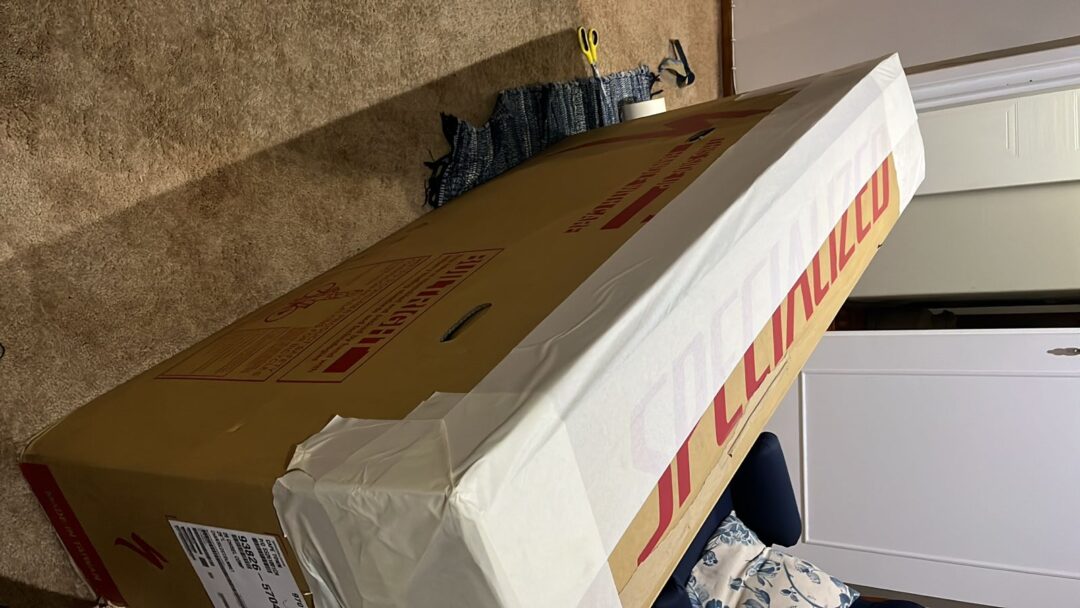
Example: book bicycle transport online just like Dirkie from Bicycology
When Dirkie from Bicycology just texted us for another collection we swiftly helped him with the online booking. Because we are helpful like that. He can also do it online himself, and so can you. Here are steps below to follow to book your bicycle transport online with #bicyclecouriers. En ek gaan hom nou vir jou stap-vir-stap verduidelik. Soos die leeuloop.
Step 1: add product
Step 1 of how to book bicycle transport online: go to bicyclecouriers.co.za. Pick your product. In this case it was boxed bicycle transport between 2x shops. Ie from PTA to GRJ. Which is short for George. So, we picked the 699 to or from a shop boxed bicycle transport option and clicked to add to the basket.
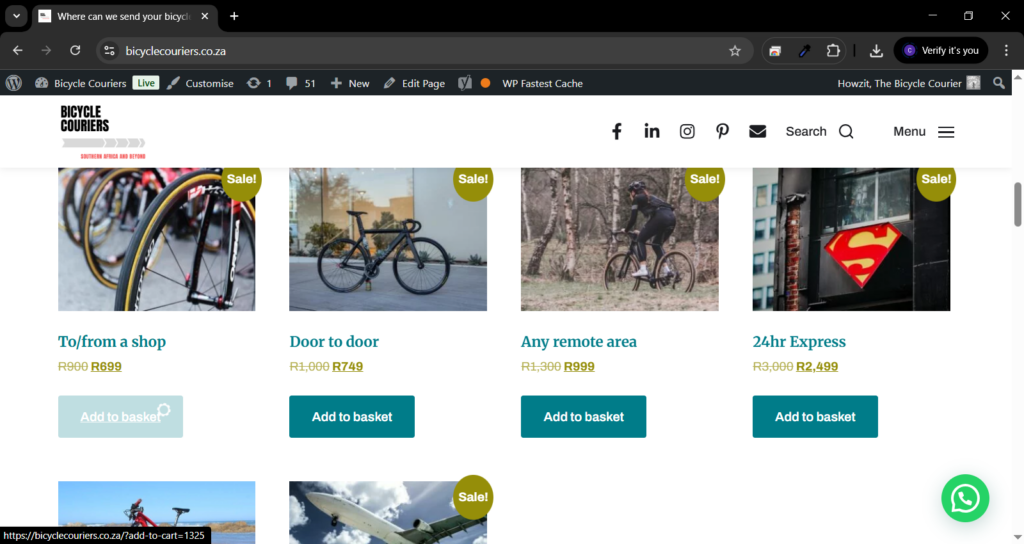
Step 2: checkout
Step 2 of how to book bicycle transport online: view your basket and decide if you want to proceed as is or add more products. Let’s say for example you need to add a ultimate bikebox. Or you want to book a return trip but from another possibly remote destination. Or door to door. Add it here. Or move on to check out.
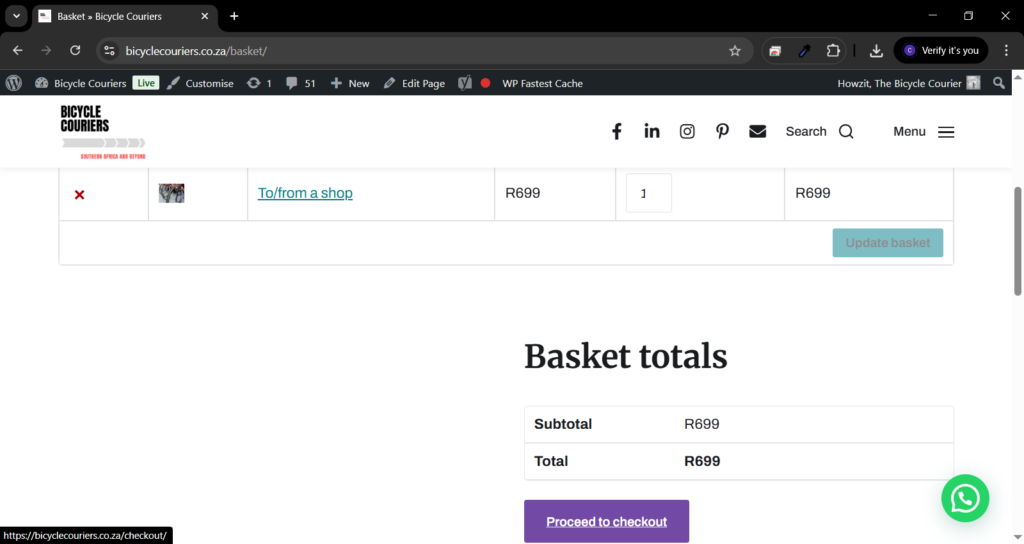
Step 3: add delivery details
Step 3: add your details. On the left is your personal details. Name number and rank. And on the right is your collection and delivery details. When booking via WhatsApp we can already see your name and tel nr. So, then we just ask for the sender and recipients name and tel nr, and most importantly: the (A) collection (B) delivery and (C) email addresses. and pick the payment method (online via card or EFT to our Nedbank details) and accept the T&C below.
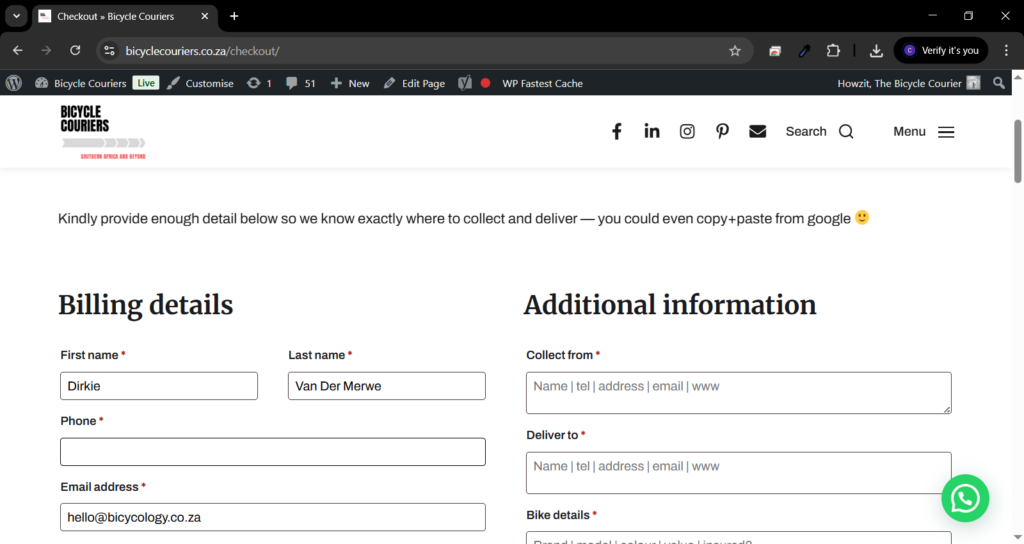
Step 4: confirmation
Step 4 of how to book bicycle transport online: click click ding dong. That’s it. Your order has gone through. And you will get a boxed bicycle transport order number. And confirmation. Plus, a summary of your order. Which will also come through on email. And we get notified in the backend plus on email as well. To be ready for your collection.
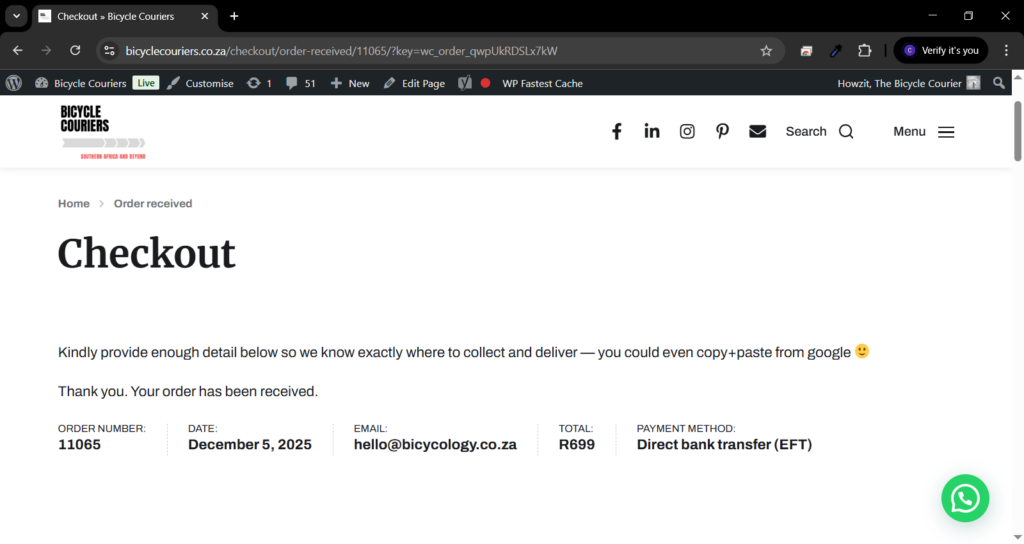
Next: We will send through a PDF waybill on email and or WhatsApp so that you can print it and stick it on the bikebox for collection. Oh, and you can also print 2x copies of the waybill and ask the driver who is collecting to sign one copy for you. Then you have proof of collection. But we also have online tracking, and the parcel will be scanned through the depot.
Step 5: check payment
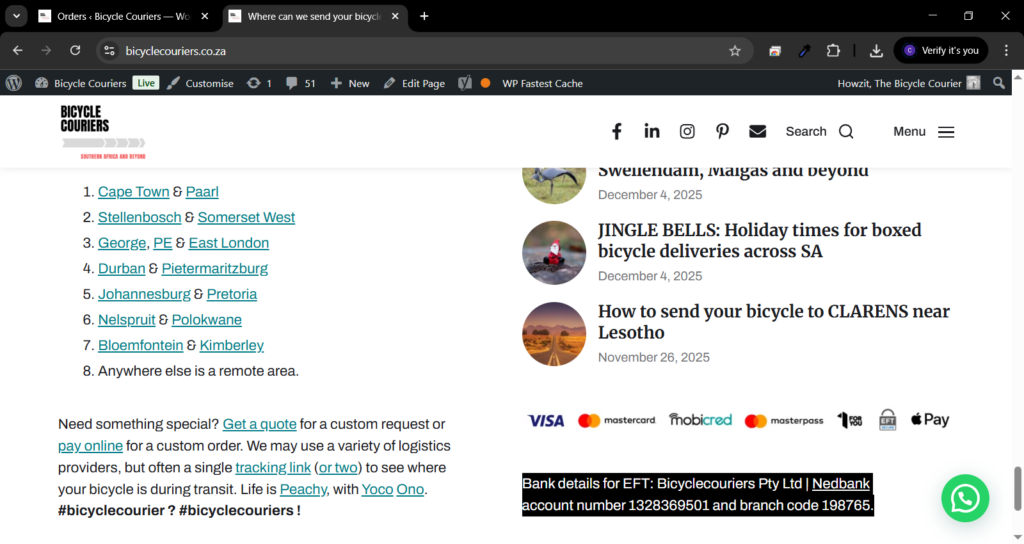
Step 5: if you need or want to check our bank details online then you can do so. From many different places. Including the blog, and the footer of every page on the website. Which shows our Bank details for EFT: Bicyclecouriers Pty Ltd | Nedbank account number 1328369501 and branch code 198765. As in the screenshot below. or you can click to pay via online card payment as in the step below.
Onto the collection and delivery
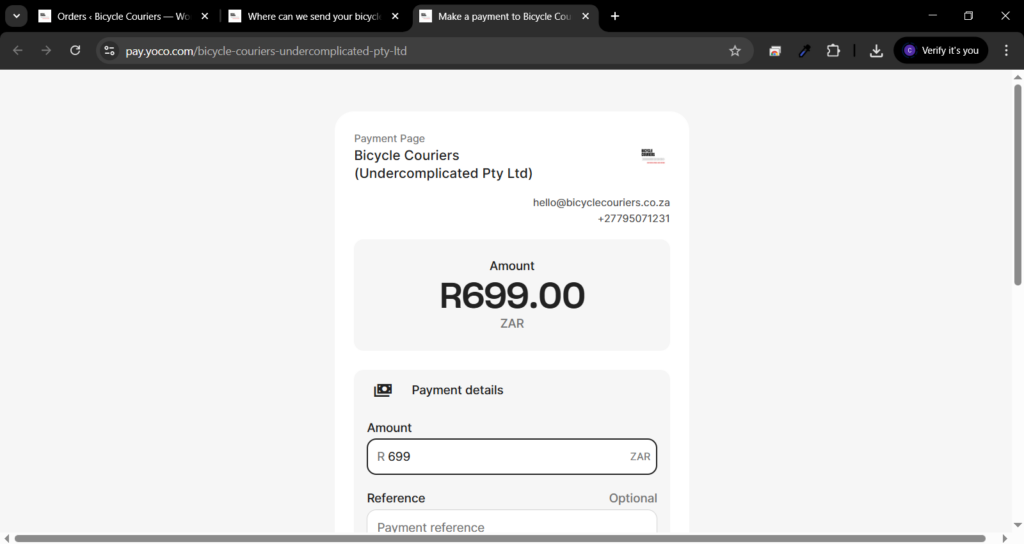
Optional: online card payment link via YOCO. Yes we do lose 3% on each sale in terms of extra bank charges via the YOCO portal for online card payments. But then again, we skip part of the manual checking the bank statements. Which saves us some time. And we know you have paid or not because we also get an instant payment notification. Yoco sample below.
And that was it.
This is it Savage, this is it Bossi. Now you know how to book bicycle transport online. Your bicycle will now be collected and sent off the the correct delivery address. We collect every weekday. And it takes about 3 days between most main centers in the country on average. Remote collections or deliveries might be +1 day or so.